 Quillfee
For tuition centres, academies and small schools
Know who has paid this month.
Quillfee keeps every student's fee in one book your whole team shares. Take a payment, send the receipt on WhatsApp, and the dues list fixes itself.
- AKAyesha KhanClass 7 · Rs 3,500
- BABilal AhmedClass 5 · Rs 3,000
- HSHira SaleemMatric · Rs 4,000
- UTUsman TariqClass 7 · Rs 3,500
Try it: tap Collect. The receipt is ready to send.
Three taps from cash to receipt.
- Add your classes and students. Set a monthly fee for each class. Change one student's fee whenever you agree a discount.
- Collect. Pick the student, check the amount, save. Part payments and advances work out on their own.
- Send the receipt. A neat receipt with your centre's name goes to the parent on WhatsApp, as a picture or a PDF.
Chase dues without the awkward call.
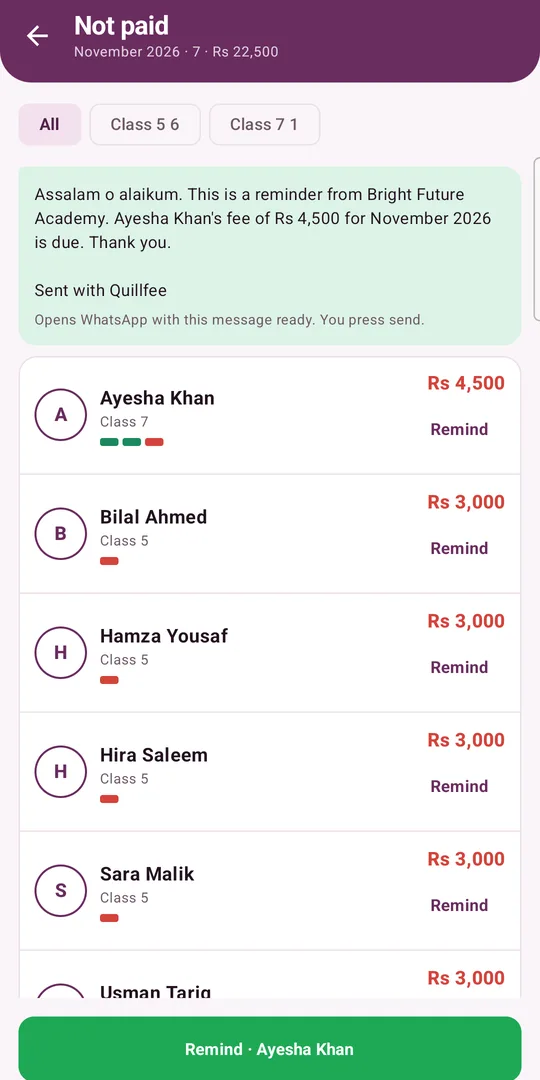
The Not paid list shows who owes what and for how many months. Tap Remind and a polite WhatsApp message opens with the amount filled in.
- Remind next, down the list. Send one reminder after another without searching.
- Late is clear. Pick your due day and Quillfee marks who is late.
- Extra charges and waivers. Add an exam fee to one student, or let a month go, and the balance follows.
Attendance in the same app.
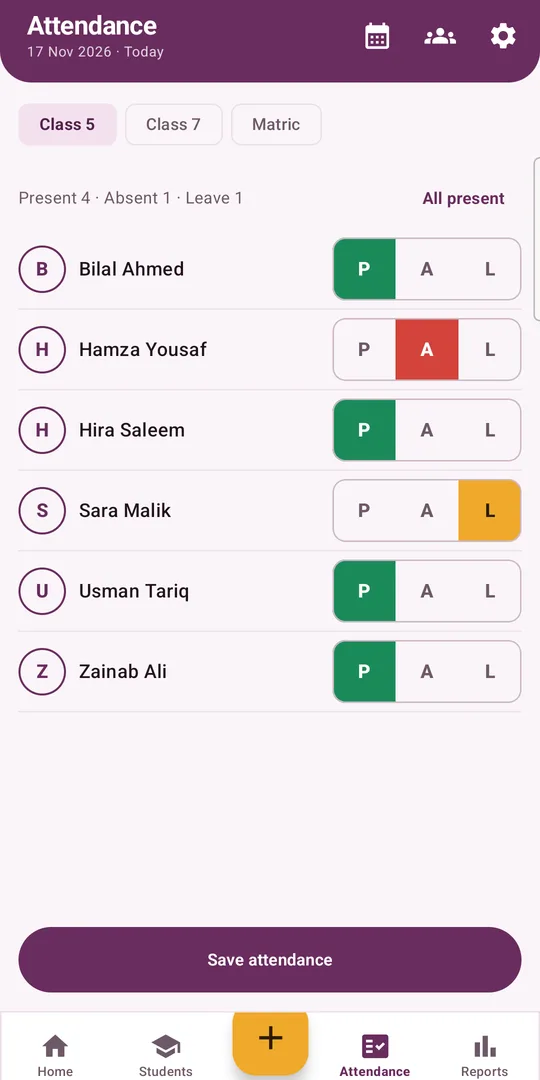
Teachers mark present, absent or leave for their own classes in a few taps. Everyone is present to start with, so most days take one tap.
- A monthly view for each class, ready to share as a PDF.
- Teachers never see money. The server keeps fees out of their phones, not just the screen.
Everyone gets the right key.
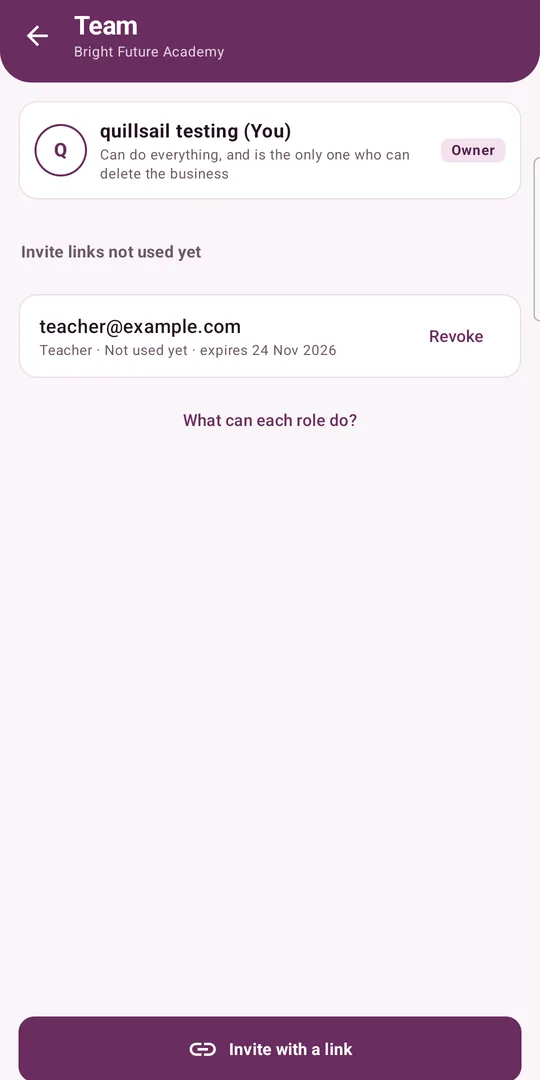
Invite with a link. It works only for the Google account you name, only once, and only for 7 days.
In English or اردو
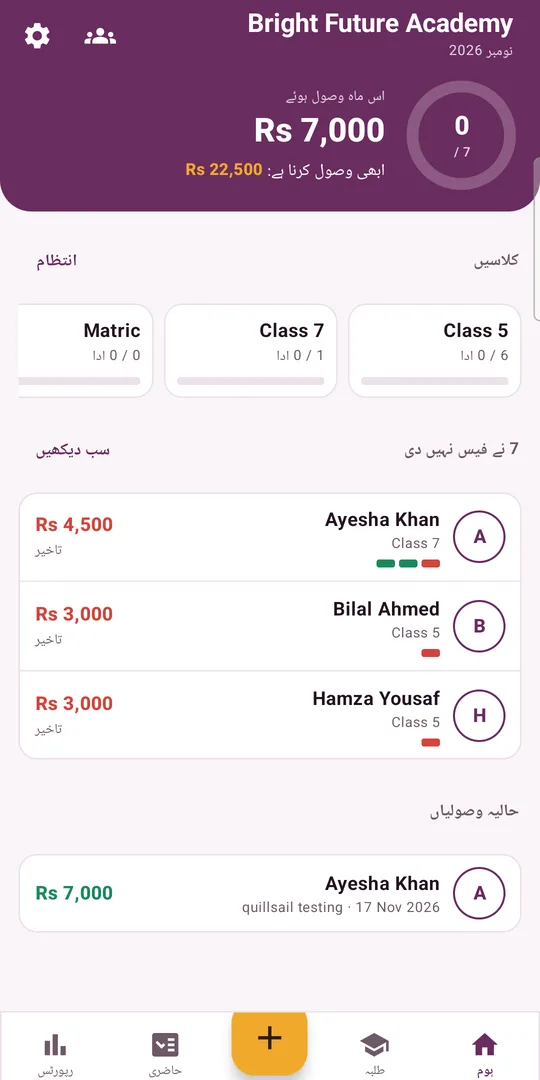
Each person picks their language. In Urdu the whole app reads right to left, and receipts follow.
Your students' records stay with you.
Only people you invite
Each centre is closed to everyone else. Every read and write is checked on the server.
Payments can't be quietly edited
A saved payment can't be changed. Only an admin can delete one, and it can be restored for 30 days.
Works offline
Collect and mark attendance with no signal. It syncs when you're back online.
No ads, no selling
We don't show ads or sell data. Read the privacy policy.
Take it with you
Back up everything to one Excel file whenever you like.
Delete it any time
Delete your account in the app, or ask us to.
Questions
What does it cost?
Quillfee is free to download. The Free plan has 30 students and 2 people on the team. Pro (Rs 799 a month) has 300 students and 5 people. Business (Rs 1,999 a month) has no limits. Prices are shown in the app before you pay, and during launch every centre gets Business free.
Does it take payments?
No. Quillfee is a record book. Parents pay you the way they do now, by cash, bank transfer, JazzCash or Easypaisa, and you record it.
Does it send WhatsApp messages by itself?
No. It opens WhatsApp with the message ready. Nothing goes until you press send.
Which phones does it work on?
Android 8.0 or newer. There is no iPhone app yet.
Does everyone need a Google account?
Yes. You sign in with Google, and that is how invites reach the right person.
Can Quillsail read my records?
Data is encrypted in transit and at rest, but not end to end, so the people who run the service can technically reach it. Details are in the privacy policy.
Quillfee is coming soon to Google Play.
Email us and we'll send you the early access link.